Tampilkan postingan dengan label Review Games. Tampilkan semua postingan

Selasa, 29 Maret 2011

Total War - Shogun 2 (PC/ENG) Full Download

Total War - Shogun 2 (PC/ENG)

Descriptions:
Release: 16/03/2011
Genre: Strategy (Real-time / Turn-based) / 3D
Language: English
Size: 12,1GB


Brief:
In the darkest age of Japan, endless war leaves a country divided. It is the middle of the 16th Century in Feudal Japan. The country, once ruled by a unified government, is now split into many warring clans. Ten legendary warlords strive for supremacy as conspiracies and conflicts wither the empire. Only one will rise above all to win the heart of a nation as the new shogun...The others will die by his sword. Take on the role of one Daimyo, the clan leader, and use military engagements, economics and diplomacy to achieve the ultimate goal: re-unite Japan under his supreme command and become the new Shogun � the undisputed ruler of a pacified nation.

Total War: SHOGUN 2 features enhanced full 3D battles via land and sea, which made a name for the series, as well as the tactical campaign map that many refer to as the heart and soul of Total War. Featuring a brand new AI system inspired by the scriptures that influenced Japanese warfare, the millennia old Chinese �Art of War�, the Creative Assembly brings the wisdom of Master Sun Tsu to Total War: SHOGUN 2. Analysing this ancient text enabled the Creative Assembly to implement easy to understand yet deep strategical gameplay.

Features
- Nine clans - the strengths and weaknesses.
* Lead one of the nine factions that existed in feudal Japan. Among them - the mighty warrior clan Oda and very powerful Tokugawa family. Under your strict guidance of any of the clans will be able to come to power.

- The power of eloquence.
* Daimyo and generals, as in the game Rome Total War, will try to inspire their armies to combat exploits. The game has more than 100,000 variants of speeches, depending on the nature of the speaker, the location of troops and the relationship with the enemy.

- Siege war.
The Japanese way of the siege are significantly different from those used by Europeans and the castle can be a deadly trap. During the siege and the defenders and attackers can use the most variety of tactics of warfare.

- An impregnable fortress.
* Locks of different types can be improved by building capacity of five levels, which means that the attacker would need to use different methods and techniques of siege. Assault on the external walls and capture the inner court - the first steps on the path to glory.

- All-season war.
* For the first time in history a series of battles take place in all seasons. The season will depend on field conditions, as well as state and mood of the army. All this will have an important influence on the choice of strategy and tactics of warfare.

- Beauty of Japan.
* Wild severe mountains, picturesque valley and blooming cherry trees - thanks to that used in the draft of a new system for building terrain, players will lead the battle in different regions of the country radically different landscape.

- Sengoku-Pedia
* In the game the encyclopedia can be found plenty of useful information about the Japanese troops and technology, as well as learn interesting historical facts. With it you can better understand their enemies, learn their strengths and weaknesses.

- Morals and morale.
* For the first time appeared on the battlefields of the structure, which have a psychological impact on soldiers during the battle. Protection or seizure of monasteries and temples, the ruin of the enemy's shrines - all this affects the morale of the troops.

- Historical battles.
* Easy, but very exciting challenge for virtual commanders will participate in the famous historical battles, including a battle near the village of Sekigahara.

- On land and at sea.
* Total War: SHOGUN 2 - first draft of the series, which can lead the battle on land and at sea at the same time. Ply between the islands, use the features of the coast, fog and other weather phenomena to gain an advantage over the enemy. Skillfully building up their ships at the waterfront and between the islands, create traps and the enemy impose his tactics.

- Perfect Soldiers.
* Warrior-Heroes - a truly unique soldiers. Their power and military courage are so large that they can turn the tide of battle. Even a hero with a handful of teammates can destroy many enemies. In addition, he will seek to engage in combat with a warrior like myself, to defend the honor of his clan.

System Requirements
# OS: Windows 7 / Vista / XP
# Processor: 2 GHz Intel Dual Core processor / 2.6 GHz Intel Single Core processor , or AMD equivalent (with SSE2)
# Memory: 1GB RAM (XP), 2GB RAM (Vista / Windows7)
# Graphics: 256 MB DirectX 9.0c compatible graphics card (shader model 3)
# DirectX�: DirectX 9.0c
# Hard Drive: 20GB free hard disk space

Install Notes
1. UnRAR
2. Run Phoenix 1.4 Beta 7
3. Update Phoenix and unpack Follow the instructions in this link: http://www.youtube.com/watch?v=E4QlcJl3W8U
4. When Unpack DVD1 completed, Phoenix will now pop-up asking DVD2>> Un-mount DVD1 & DVD2 Mount (2 discs to be mounted along a drive)>> click Continue unpack DVD2>> Done
5. Size after Unpack is 15.3 GB
6. Run ali213.net-11gpatch15.8.exe to upgrade the missing file


DOWNLOAD Total War - Shogun 2 (PC/ENG) :
http://www.filesonic.com/file/262352421/Total War - Shogun 2 (PC/ENG).part01.rar
http://www.filesonic.com/file/262352431/Total War - Shogun 2 (PC/ENG).part02.rar
http://www.filesonic.com/file/262352441/Total War - Shogun 2 (PC/ENG).part03.rar
http://www.filesonic.com/file/262352451/Total War - Shogun 2 (PC/ENG).part04.rar
http://www.filesonic.com/file/262352461/Total War - Shogun 2 (PC/ENG).part05.rar
http://www.filesonic.com/file/262352471/Total War - Shogun 2 (PC/ENG).part06.rar
http://www.filesonic.com/file/262352481/Total War - Shogun 2 (PC/ENG).part07.rar
http://www.filesonic.com/file/262352491/Total War - Shogun 2 (PC/ENG).part08.rar
http://www.filesonic.com/file/262352501/Total War - Shogun 2 (PC/ENG).part09.rar
http://www.filesonic.com/file/262352511/Total War - Shogun 2 (PC/ENG).part10.rar
http://www.filesonic.com/file/262352521/Total War - Shogun 2 (PC/ENG).part11.rar
http://www.filesonic.com/file/262352531/Total War - Shogun 2 (PC/ENG).part12.rar
http://www.filesonic.com/file/262352541/Total War - Shogun 2 (PC/ENG).part13.rar
http://www.filesonic.com/file/262352551/Total War - Shogun 2 (PC/ENG).part14.rar
http://www.filesonic.com/file/262352561/Total War - Shogun 2 (PC/ENG).part15.rar
http://www.filesonic.com/file/262352571/Total War - Shogun 2 (PC/ENG).part16.rar
http://www.filesonic.com/file/262352361/Total War - Shogun 2 (PC/ENG).part17.rar
http://www.filesonic.com/file/262352371/Total War - Shogun 2 (PC/ENG).part18.rar
http://www.filesonic.com/file/262352381/Total War - Shogun 2 (PC/ENG).part19.rar
http://www.filesonic.com/file/262352391/Total War - Shogun 2 (PC/ENG).part20.rar
http://www.filesonic.com/file/262352401/Total War - Shogun 2 (PC/ENG).part21.rar
http://www.filesonic.com/file/262352261/Total War - Shogun 2 (PC/ENG).part22.rar
http://www.filesonic.com/file/262352271/Total War - Shogun 2 (PC/ENG).part23.rar
http://www.filesonic.com/file/262352281/Total War - Shogun 2 (PC/ENG).part24.rar
http://www.filesonic.com/file/262352291/Total War - Shogun 2 (PC/ENG).part25.rar
http://www.filesonic.com/file/262352301/Total War - Shogun 2 (PC/ENG).part26.rar
http://www.filesonic.com/file/262352311/Total War - Shogun 2 (PC/ENG).part27.rar
http://www.filesonic.com/file/262352321/Total War - Shogun 2 (PC/ENG).part28.rar
http://www.filesonic.com/file/262352331/Total War - Shogun 2 (PC/ENG).part29.rar
http://www.filesonic.com/file/262352341/Total War - Shogun 2 (PC/ENG).part30.rar
http://www.filesonic.com/file/262352351/Total War - Shogun 2 (PC/ENG).part31.rar

NO PASS :

Total War - Shogun 2 (PC/ENG)
Thanks to freshwap for information

Goin Downtown-Postmortem Free Download Game

GOIN DOWNTOWN-POSTMORTEM
Descriptions:
Size : 1120 MB
Genre: Adventure
Language: ENG

The City is alive! Goin
Downtown takes you to a futuristic metropolis to take up the challenge of an exciting point & click adventure. You are the charismatic hero Jake who earns his living as a mediocre and frustrated cop in the year 2072. One morning, when walking through his neighbourhood, he stumbles across an unconscious woman. An exceedingly attractive woman who unfortunately has lost her memory as Jake notices when he clumsily wakes her up. This is the beginning of an adventure with Cathy in which Jake discovers that he can be a real hero and that true love can save lives. A story with many twists and turns, a main character to strongly identify with, sophisticated yet consistently logical puzzles, a simple user interface and highly detailed graphics make Goin
Downtown the definite adventure highlight of the year.

DOWNLOAD :
http://www.filesonic.com/file/295962461/GOIN.DOWNTOWN.part1.rar
http://www.filesonic.com/file/295962481/GOIN.DOWNTOWN.part2.rar
http://www.filesonic.com/file/295962491/GOIN.DOWNTOWN.part3.rar
http://www.filesonic.com/file/295962501/GOIN.DOWNTOWN.part4.rar
http://www.filesonic.com/file/295962511/GOIN.DOWNTOWN.part5.rar
http://www.filesonic.com/file/295962521/GOIN.DOWNTOWN.part6.rar

NO PASS :
Goin Downtown-Postmortem

Thanks for freshwap for information

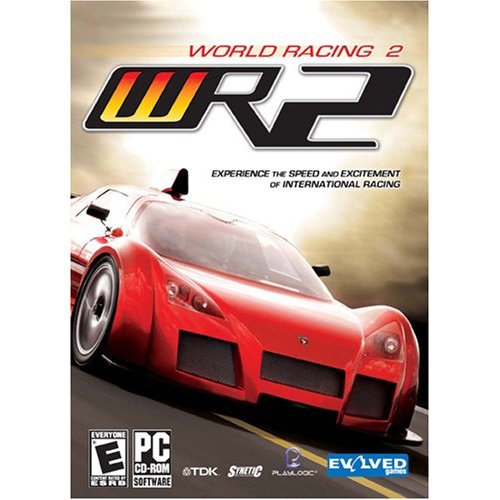
Portable World Racing 2 + New Cars and Sceneries Free Download

DESCRIPTIONS:
Portable World Racing 2 + New Cars and Sceneries
Genre: GT / Street Racing
Language: English
Size: 10,04GB
World Racing 2 puts the fun of driving centre stage! Experience optimised arcade racing characteristics in a rich and varied range of missions. Gain speedbucks for exceptional driving skills and invest them in a great variety of cars and tuning options. Assault the roads of lively 3D Scenarios full of detail, in career missions of free driving model.

New Added Cars
Actros:
- Actros 1855 LS Euro5 (Koffer) (year 2007)

Alfa Romeo:
- Alfa Romeo GT 3.2 V6 24V (Stock and Tuned)

Audi:
- Audi A8 Quattro (year 2000)
- Audi A8 4.2 Quattro (year 2006)
- Audi A6 S-Line (year 2006)
- Audi A6 Quattro (year 2006)
- Audi S6 (year 2006)
- Audi RS3 Concept (year 2007)
- Audi A3 Sportback (year 2007)
- Audi A3 (2 doors - year 2006)
- Audi S4 (B5-3 - before 2000)
- Audi RS6 (2003 - Tuned)
- Audi RS4 (year 2006)
- Audi Q5
- Audi A4 (Stock, Quattro, Tuned, Avant Tuned - year 2007)
- Audi Q7 4.2FSI

BMW:
- BMW 550i (year 2010)
- BMW M3 E36
- BMW 760Li (year 2006)
- BMW M6 Coupe
- BMW M5 (year 1995)
- BMW M3 GTS (year 2008)
- BMW 330i E90
- BMW M3 E30

Brabus:
- Brabus S V12 S Limousine

Citroen:
- Citroen C4 Hatchback

Dacia:
- Dacia 1310 (Stock version & Tuned version)
- Dacia SuperNova (Tuned)
- Dacia Logan (2006 Model & New Model)
- Dacia Duster

Fiat:
- Fiat Grande Punto Sporting (year 2009)
- Fiat Panda 1000CL (year 1990)

Ford:
- Ford Focus 1.4 Ambiente (year 2002)
- Ford Focus 1.8 Trend (year 2002)
- Ford Focus SVT (2 doors - year 2002)
- Ford Focus ST (year 2005)
- Ford Escort RS Cosworth

Honda:
- Honda Accord Comfort (year 2003)

Lamborghini:
- Lamborghini Gallardo Spyder Rgamer
- Lamborghini Gallardo LP560-4 Rgamer

MAN:
- MAN Dakar Truck

Mercedes-Benz:
- Mercedes-Benz C180 Kompressor Blue Efficiency
- Mercedes-Benz C250 CDI
- Mercedes-Benz C350
- Mercedes-Benz C350 4Matic
- Mercedes-Benz S600 Long
- Mercedes-Benz 280E 3.5 AMG
- Mercedes-Benz Sprinter 211CDI


Mitsubishi:
- Mitsubishi Lancer Evolution X
- Mitsubishi Lancer Evolution IX MR

Opel:
- Opel Vectra 2.2
- Opel Insignia OPC

Peugeot:
- Peugeot 407 2.2HDI
- Peugeot 607 3.0 V6
- Peugeot 206 GTI

Porsche:
- Porsche Cayenne Turbo S

Renault:
- Renault Megane II Hatchback (1.6 16v, 2.0 16v, 1,9DCI 130hp)
- Renault Laguna 3.0 V6 (year 1999)

Saab:
- Saab 9-5 Aero

Seat:
- Seat Leon
- Seat Leon II Cupra
- Seat Ibiza Cupra (new model)


Skoda:
- Skoda Octavia II RS
- Skoda Octavia Pick-Up PFLUG

Subaru:
- Subaru Impreza Tuned (year 2009)

Toyota:
- Toyota Avensis Sedan (Stock and With Box - year 2006)

Volkswagen:
- Volkswagen Bora (year 2001)
- Volkswagen T4 Caravelle
- Volkswagen Golf V (8 versions)
- Volkswagen Golf III (1.6i)
- Volkswagen Golf IV (2 versions)
- Volkswagen New Polo GTI (2 doors)
- Volkswagen Scirocco (2.0TSI)
- Volkswagen Golf VI R (2 doors)
- Volkswagen Jetta GT ('90 year)
- Volkswagen Vento GL

New Added Sceneries
- Adelaide Street Circuit
- Alps
- Australia
- Autobahn
- Autobahn RM
- Bergtour
- BW Autobahn
- BW City
- Fantasy Hill
- Fantasy Hill Night
- Vice City (AirPort zone from GTA Vice City)
- Italy in Snow
- Kindiak Park
- Nevada
- Pischti_Landstr
- Snow Testtrack
- Stadt
- Swiss Mountain
- Waldtour
- Weekend Drive (out of the city)

From these Sceneries are activated only: Alps, Autobahn, Bergtour, BW Autobahn, BW City, Italy in Snow, Nevada, Pischti_Landstr, Snow Testtrack, Stadt, Swiss Mountain, Waldtour, Weekend Drive.
You can activate all from WR2Man.exe from game dir.

System Requirements

Minimum
System: Pentium IV 1.8 GHz or equivalent
RAM: 256 MB
Video Memory: 64 MB
Hard Drive Space: 1700 MB

Recommended
System: Pentium IV 2.4 GHz or equivalent
RAM: 512 MB
Hard Drive Space: 4200 MB

Install Notes
1. UnRAR
2. Play the game from WR2_PC.exe!!

Portable World Racing 2 + New Cars and Sceneries Free Download

Portable World Racing 2 + New Cars and Sceneries Free Download
http://www.filesonic.com/file/295867871/WR2 .part01.rar
http://www.filesonic.com/file/295867881/WR2 .part02.rar
http://www.filesonic.com/file/295867891/WR2 .part03.rar
http://www.filesonic.com/file/295867901/WR2 .part04.rar
http://www.filesonic.com/file/295867911/WR2 .part05.rar
http://www.filesonic.com/file/295867921/WR2 .part06.rar
http://www.filesonic.com/file/295867931/WR2 .part07.rar
http://www.filesonic.com/file/295867951/WR2 .part08.rar
http://www.filesonic.com/file/295868001/WR2 .part09.rar
http://www.filesonic.com/file/295868021/WR2 .part10.rar

Thanks to freswap for information

Senin, 28 Maret 2011

Point Blank Online Video Trailer

DESCRIPTION OF POINT BLANK
Point Blank is a Live Action role-playing game where players track each other across the Internet, eliminating their targets, to become the last one standing... Sign up, and begin by filling out your dossier, (profile) and get ready to play a game of assassination, where you are both the hunter and the HUNTED...

There are three different variations of the game Point Blank, each tailored to specific internet user types:

Gamer Elimination: For the hardcore gamer, players track their target to their favourite gaming server, and try to eliminate their target within the game...

Search and Destroy:Each player has a picture which they post on a place within their website or blog. Players must find their target's picture, and copy it before their picture is found by another player!

Creative Kill: Players use creative writing to kill their target, in the form of a short piece of creative writing placed within the forums on this site... Pieces of writing are then judged to reveal a winner...

SPECIFICATIONS OF POINT BLANK
Genre: RPG
Language: English
Platform: Windows, Linux, Mac
Client: Browser
Interface: Text Based
Time: Turn Based
ESRB: NR
Mass Multiplayer: No
Status: Beta - Open

POINT BLANK COSTS:
Software: Free
Subscription: Free

Point Blank Online Video Trailer


Sabtu, 26 Maret 2011

Crysis 2 Review PS3 PC Xbox Game

Crysis 2 Review PS3 PC Xbox Game
Crytek has once again delivered on some pretty big promises. With Crysis 2, they deliver to the world their brand new CryEngine 3 simultaneously debuting on PC and consoles. Additionally, for the first time, Crytek is headed out of the tropical jungle and into the urban jungle of New York City. The result is a FPS experience unlike any other, providing Crysis' unique gameplay and impressive visuals with a fantastic atmosphere that sets the benchmark for the entire FPS genre.

My favorite part of Crysis 2 is, without a doubt, the Hans Zimmer score. It adds a sense of emotion to the game that the story isn't able to convey on its own. While the tale of Alcatraz, the marine sent in to New York City with nothing but a Nanosuit, is better than most stories we see in shooters, it isn't able to capture the player without Zimmer's score. You get a sense of desperation and gloom, similar to one found in Halo: Reach, but without the full frontal depression.

Speaking of the Nanosuit, Crytek has made some adjustments to the way it performs. Fans of the original Crysis will no doubt remember the armor and stealth abilities, which still do exactly what they imply. Speed has been changed to be a simple sprint option; when you hold the shift key to sprint, it will drain energy from the Nanosuit. Power has been removed and adjusted; if you hold the melee button, you'll be able to do either a powerful melee attack or move certain objects, such as cars. There have been several additions to the Nanosuit. First and foremost, there's the option to customize it so that you can gain certain perks and bonuses in different areas, i.e. armor upgrades, longer camouflage time, and so on. These customizable options not only add different ways to play through the game, similar to customizing plasmids in BioShock, but they also allow for tactical advantages in combat.

Crysis 2 Review PS3 PC Xbox Game

Speaking of tactical advantages, the next new addition is binoculars, specifically ones that allow you to survey the field of battle before rushing in. Often, you'll be prompted to pull out the binoculars and highlight different locations in your field of view, whether its crates of weapons and ammunition, or various areas that'll give you tactical advantages, such as a ledge for sniping or an area to flank the enemy. This blends in perfectly with the style of gameplay Crysis 2 offers: guerilla warfare. Crytek has done an excellent job keeping New York City in tact to the point of it still being recognizable.

You'll need to master guerilla type tactics if you want to progress through the campaign's two enemies: the human based CELL, who really don't like you, and the aliens invading the planet. The two enemy groups play differently; CELL is tactical in their approach: running for cover, bringing in support, and flanking you when given the chance. The aliens also enjoy using cover, but they're more apt to be aggressive, either using their enhanced speed or superior armor (which is saying something since CELL troops can take multiple shots to the head and shrug it off).

Crysis 2 Review PS3 PC Xbox Game
System: PS3, PC, Xbox 360
Dev: Crytek Studios
Pub: Electronic Arts
Release: March 22, 2011
Players: 1-12
Screen Resolution: 480p-1080p


Crysis 2 Review PS3 PC Xbox Game
Source: cheatcc.com

Yakuza 4 Game PS3 Review

Yakuza 4 Game PS3 Review
Playing through Yakuza 4 was actually kind-of sad. Not because it's a bad game � far from it � but rather because to me it represents everything that has been lost in the decline of the Japanese gaming industry. This is a game that is so completely opposite to the ideals of Western game design that it could only have come from Japan. The fact that this may be one of the very last of its ilk is a source for great sadness from anybody who treasured Japan's great contribution to gaming culture.

Modern Western games focus on gameplay above all else, as if anything less would constitute a breach of contract with their consumers. They strive to make every five-minute period have at least six explosions out of a self-conscious (though largely justified) fear that they will lose their customer's attention if even a moment of boredom crops up.

Yakuza 4 doesn't see the world this way. The entire game is chopped up into "chapters" of about forty-five minutes long. Most chapters include about ten minutes of gameplay. Nearly everything else is a gigantic cutscene. The game doesn't shy away from yanking the controller out of your hand to start up a new cutscene. There are times where one scene will end, give you back control of the character, only to start up another scene literally five steps later.


Thankfully, most of these scenes are high quality. If you have an interest in Japanese culture (and I don't simply mean Naruto and Dragon Quest), then many of these exchanges will be fascinating. They'll instruct you on the inner workings of the Yakuza, like how different clans of Yakuza interact and the power struggles between them. Honor and respect are prominent yet in many ways are totally reversed from the mafia stories we're familiar with in the West. It's a refreshingly different slice of life for anyone unfamiliar with Yakuza traditions.


It's not all serious business though. Yakuza 4 also has the capacity to be funny, and its characters are often unique and interesting people. It's quite a departure from just about anything we see in the West on a regular basis. For instance, the main character of first act is a formerly homeless man who came into money when a bank exploded, spreading money into the streets. He then uses the money to start an interest-free loan company. Rather than charging interest, he requires his clients to complete a task like volunteering at a nursing home, which greatly angers the local loans sharks who lose patrons to him.

As previously mentioned, most of the story is conveyed via cutscenes. The best part is that everything associated with these scenes is very well-polished. The in-game graphics are fantastic, and the facial animations in particular are a joy to watch. The voice actors are even better though. Even though I don't understand more than a few words of Japanese, the voices sounded great, and I'm immensely glad that the game is conveyed via subtitles rather than shoehorned English voice actors. The Japanese adds a great amount of realism to the proceedings and really helps to place you in Tokyo.


The only part of the presentation that I didn't like, and in fact I rather hated, was that often the cutscene will end abruptly, then continue in the game mode with two characters silently talking via text. They say the same sorts of things they would in the cutscene except now they stand motionless and silent while you have to read and manually click through the text. It's a cost-cutting move that harms the overall experience. I can appreciate that cutscenes are very expensive, however, the user is the one who loses when the whole game suddenly stops and then begins again at a snail's pace.


System: PS3
Dev: CS1 Team
Pub: SEGA
Release: March 15, 2011
Players: 1
Screen Resolution: 720p-1080p

Source: cheatcc.com

Gears of War 3 Game Review

Gears of War one of the awesome, award winning game and also best selling science fiction third person shooter game developed by Epic Games and published under the big name of Microsoft Game Studios. First of all something for those unlucky fellows who doesn�t know anything about the Gears of War.

Gears of War take place to a fictional planet named Sera. It is all about the war between human and Locust a creature. You will play the role of Marcus Fenix, who was jailed because of leaving the military post to save his father and now he is back in his Delta squad and his mission is to find the resonator which will lead to the Locust inhabit to destroy its heart. So you�re in control of Fenix with his delta squad helping him to get to his goal thought the Sera and into the depth of Locust heart.

After the Big success of it, Gears of War 2 hit the world of gaming and it was another mind blowing game developed by Epic Games. You are in control of the same Fenix and now you found out that Locust is using big worms to eat the ground of the cities of Sera to destroy them. Now Fenix leads his delta squad to kill those worms but when they are on the depth of it they find out the true intension of the Locust.

Gears of war 2 were a big success too and on its released weekend it was sold over 2 million copies and another 4 million within the next two months. You can play Co-op mode in both of those games where other player can control Fenix�s friend Santiago.

After some years Epic Games finally announced Gears of War 3 will be released on September 20, 2011 and as it was it will be again exclusive only for Xbox 360. Gears of War 3 will be the final installment of Gears of War series.

Screenshoot:
Gears of War 3 Game Review


Gears of War 3 game play will feature four players Co-op mode for the first time ever and three new playable female characters and another new playable character is Jace Stratton who appeared in the comic series. The game features full of new weapons, as Pendulum War lancer, double-barreled shotgun, the Digger launcher, Incendiary Grenade and The one shot�as its name it can take down any enemy with a single round. Gargon Pistol is now transformed into fully automatic Gargon SMG.

Video from youtube:

Thanks to XBOXVIEWTV For the Video


The new Beast mode is added in the Multiplayer mode and the Horde mode from the Gears 2 will be available too. Player earned tokens by killing enemies and with them they can upgrade their character to a stronger class. With some twist original multiplayer mode like �Team Death match� or �Capture the Leader� will be back in multiplayer menu. About the Creatures, some new enemies will be seen such as Polyps, Lambent Stalks, Drudges and a Lambent Berserker.

Man I really can�t wait for this game and I am quite sure that some of you will be ready to sleep under the open sky out of the shop just the day before it get released, I will surely be on the line too or you can go to the official page to pre order the Gears of War 3 now. Can�t wait to complete this Epic game series and really ready to get back to the Planet Sera to kick some Locust butt. By the way I feel sorry for those who plays only Ps3 cause guys to play Gow 3 (I mean Gears of War 3 not the God of War 3) you have to go for the Xbox 360 now

DMC Devil May Cry Game Review

Who doesn�t know about Dante or I mean the Devil May Cry, One of the best game that I have ever played in my life. Dante the main character of this game is the coolest character made by Capcom others are cool too But there is no one who can match Dante. Devil may cry first approached on ps2 in 2001 and was developed and published by Capcom. The game was all about Dante seeking for revenge from the demons that killed his mother. The game was full of action and heavy combats. The reason why Dante is so much special is because of his style of action, the way he battles and the way he moves like super rock star looks really amazing and the way he uses his demon sword is simply awesome.

After the massive success from the first game, Devil May Cry 2 comes out at 2003. It was a sequel but it�s chronologically the 4th game of the Devil May Cry series. In this game apart from Dante, another character was available named Lucia and they are out to stop Arius from raising a demon called Argosax. This game also had good response.

Screenshoot:
DMC Devil May Cry Game Review

Then after 2 years comes out one of the best game in the platform of Ps2, Devil May Cry 3. Devil may cry 3 was something really special and if you saw the opening sequence of that game then you will get it. The game was really outstanding and the improvement was praised by the world. The game was challenging and also it was cooler then all others in the series. Just look at the intro and if you missed it go for it now and play it.

Thanks to FFVIIFreak for the Video:

Fight Night Champion Game Review

Fight Night Champion the game released in this March by EA sports will change the view of Boxing games for real. In my point this game is truly amazing.

The game starts with a fight where you have to battle in a Jail boxing fight, bare handed and you have to win it. After the fight it you can carry on with the on going champion mode or try the menu. If you carry on with the champion mode you will find that you�re playing a role of a boxer called Andre Bishop who started his boxing carrier some weeks ago and now is in the jail for nothing. Now you have to play Bishop�s flashback stories where a series of events will happen and also with some breath taking boxing matches. Breath taking I used this word because the boxing fights will take your breath away as in one fight you will find out that while punching Bishop breaks his right arm now you have to win the match just using your right arm, in another fight your coach will come in the ring after the round and will tell you that you have to win by knock out or else you will lose as some one already had bought the judge so you have no other way to win the match. I will not tell you the full story of the champion mode as it can spoil the excitement of this game but for sneak peak in a part of the story you will find out that Bishop faces his younger brother for the No 1 contender and Bishop will lose the match for his younger brother�s dream. The champion or story mode is really emotional and will take you to the place of Bishop for real as you will feel that you are in the fight.

Champion mode will rock your world for sure apart from that there is a fight now mode to play in One on One fights, Legacy mode where you choose a boxer from the rooster or you can create your own boxer and fight your way to the top or join the live modes to fight with worlds greatest fighters in the ring.

Screenshoot:
Fight Night Champion Game Review

Now let�s roll on to the graphics and its way better then all other game from the series. Punches looks real and too much bleeding will knock you out from the match. Floors will be filled with blood drops if you make your opponent bleed. The boxer short looks really nice. Champion mode cut scene graphics is awesome and most of the times you will feel like watching a movie.

You will be happy to here that there is no more complex control which messed up the previous series. This time you can throw every punch just using the direction of your analogue stick or you can use buttons also. For defensive mode you can use the upper LT/L2 to dodge or RT/R2 to block your opponents punch. The new control system will give you extreme reflex and flashing speed to defeat your opponent. Do not try to just punch your opponent rapidly as it can consume all your stamina. If your stamina is too low you�re in deep danger as your opponent can knock you out in a single blow so look after your stamina while you�re fighting.

If you want play in pro mode, Some times boxers will throw all at you and you have to stick around to win those matches, as if you had a cut they will try to knock you down or throw rapid punches in your cut to make you bleed and referee will stop the fight and disqualify you. So move around, look for the open space and counter punch your opponent down.

See The Video:


My suggestion to all gamers who didn�t tried this game yet will be, Get yourself a very comfy couch, take some snacks and then start playing this awesome boxing game because it won�t be possible for any gamer to move at least for 5 hours as Champion mode will take those time of yours in a flash and I am sure that you won�t be able to move your butt before finishing the champion mode.

Lastly I will add only one thing that bugs me in this game is sometime referee will block your screen and you won�t be able to see your boxer apart from it, I can say that this game is the best in the Fight Night Series. The story mode is rocking, controls are better then ever, graphics looks stunning, game modes are good, I did not tried the live mode yet but it seems live will be more fun with such entertainment this game deserves 9 out 10 and if you didn�t played it yet go get it now.
Source: wildgamerz

Kamis, 17 Maret 2011

How To Play Cara Bermain Wild Ones Facebook

How To Play Cara Bermain Wild Ones Facebook

Read before:
Wild Ones (Facebook) Game Details


Earning Wild Ones coins � You will need to earn Wild Ones coins to purchase Wild Ones items (e.g. clothing). To earn Wild Ones coins, you can do things like play with your neighbors� pets, participate in fights, and fill out Wild Ones offers. Coins do not come easy in this game and you�ll have to work really hard to earn them.

Earning Wild Ones points � To earn experience points in Wild Ones, you can do things like participate in fights or play with your friends� pets. You will only earn two points per pet you play with but if you have a lot of friends these points will add up quickly. Experience points are required to level up in the game. The higher the Wild Ones level, the more items you will unlock in the shop as well.

Inviting Wild Ones friends � If you have friends that you want to invite to play the game, click the Invite link at the top of the screen. When the page reloads, click the box next to the friends that you want to invite to the game and click the Send button. Once the invitation is sent, you will need to click the OK button to return to your game. If your friends accept the invitation, they will become one of your Wild Ones neighbor.

Visiting Wild Ones neighbors � You can earn coins and Wild Ones experience points by visiting your neighbors in Wild Ones. At the bottom of your screen, you will see the neighbors list. Click on a neighbor in that list and then click the Play with Pet button. You will then earn Wild Ones coins and experience points for doing so. Close the box and click on another friend and do the same thing. You can continue doing this until you have visited all of your neighbors. You won�t earn much from each friend, but if you have a lot of friends, it will add up.

Wild Ones neighbors� status � You can tell if your Wild Ones neighbors are online or offline simply by clicking the appropriate tab above your neighbors list. You will see the Online tab at the bottom of the screen and clicking this tab will show who is online. If you want to see everyone that plays the game, click on the All tab.

Wild Ones leveling rewards � If you are curious as to what you will get once you reach the next Wild Ones level, you can easily find it on the right side of your screen. There you should see a small box with the words �Next Unlock Item�. In that box, you can see what item you will get in the next Wild Ones level.

Sending Wild Ones gifts � Sending Wild Ones gifts is a great way to help your friends. To send gifts, you will need to click the Gift button at the bottom of your screen. A box will then open and you will see the gifts you have to choose from. Select a gift by clicking it and hit the proceed button. On the next page, you will need to click the box next to the friends name that you want to send the gift(s) to. Once you click the box beside their name, their name will appear in the bottom box. After you have selected all of your friends, you will need to click the Send button at the bottom of the box. A box will open and you will need to click the Send button in that box. After the gift is sent, you will need to click OK on the box that pops up.

Accepting Wild Ones Gifts � Accepting gifts in Wild Ones can help you succeed in fights. To see if you have any Wild Ones gifts to accept, navigate to your Facebook requests page. If there are indeed any gifts to accept you need to manually click on the accept button to obtain them. The page will then reload and tell you what gifts you have in your possession. If you have more gifts, you can click the Claim More button to grab them. You will then be redirected to your request page where you can accept more gifts. If you do not have any more gifts to claim, you can click the checkmark and be returned to the game.

Speeding up loading � If you are having a hard time playing Wild Ones due to slow page loading, you can drop the quality of the graphics to help remedy this problem. At the top of your screen, you�ll see the Hi and Low button. Click the Low button to reduce the graphics quality and Wild Ones should load much quicker in response.

Leveling up points � If you want to know how many points you need to reach the next Wild Ones level, you will need to place your mouse over the points bar. The Wild Ones points bar is located in the top left corner of your screen. When you place your mouse over that bar, you will see a box pop up letting you know how many experience points you�ll need to reach the next level.

Switching pets � If you have more than one pet, you will have a carousel of pets in your main window. The pet that is in the front of the carousel is the one you will use when fighting. If you want to switch the pet, click on the arrows and the pet you want to use.

Buying pets � You can buy a new pet by visiting the Wild Ones shop. Open your shop, click the Pets category, and then click on the arrows to view the different Wild Ones pets. Not all of the pets will be available for you to purchase in the beginning; sme of them will be unlocked as you reach new Wild Ones levels. To buy a pet, click the Buy button and the pet will appear in your list of available pets.

Daily bonus � Every day you log into Wild Ones, you will be rewarded with a daily bonus. It�s not much but it�s well worth it to make sure you at least log in everyday to obtain the daily bonus.

Wild Ones Strategy
Practice before fighting � It is a good idea to practice fighting before entering into a real fight. In practice mode you can perfect your fighting skills without losing any Wild Ones money.

Wild Ones iconTry another browser � While you can reduce the graphics quality to help speed-up page loading for Wild Ones, you might also try using another web browser. Opera and Google Chrome are two wonderful alternatives that should help reduce page loading times.

Wild Ones iconFight often � You should enter fight mode as often as you can to earn Wild Ones money and experience points. Some games may take a while depending on how many players you have and the time amount each Wild Ones player is provided.

Wild Ones iconWild Ones fan pages � Increasing the number of neighbors you have is critical to your success in the Wild Ones game as it unlocks Wild Ones items, permits you to earn more coins, gain more experience points, and level up faster. An easy way to find Wild Ones players is to join Wild Ones groups and fan pages. There you�ll be able to post your Facebook profile link to the wall so others can easily add you.

Wild Ones iconFour players please � Wild Ones allows you to set the number of players in the game and setting it to a higher number can make the game faster. That is, with only four players you will not have to wait long before it�s your turn.

Wild Ones iconHelp and gift � Assisting your Wild Ones neighbors by visiting them and sending them gifts frequently will also benefit you. That is, you�ll earn Wild Ones points while doing so and it encourages your Wild Ones friends to return the favor and helping you too.

Wild Ones iconDon�t autopost � While playing Wild Ones the game may serve a popup window and ask you to share your accomplishments with your fellow Facebook friends. We advise you to use this sparingly and disable auto-sharing permissions for Wild Ones. To learn how to do this, see our Facebook Guide.

Wild Ones iconInvite messages � When sending out Wild Ones invites to people asking them to join you in the game should also include a brief message explaining why you are sending them such an invite. A simple message like �Wild Ones� or �Wild Ones add� will suffice and you�ll find that it will be much more successful than not including it.

Wild Ones iconUse keyboard shortcuts � It�s a good idea to study your keyboard shortcuts before entering into battle. These shortcuts will help you move faster during fights which will increase your chances of winning Wild Ones fights.

Wild Ones iconSend Wild Ones tips � If you�ve got any helpful Wild Ones info, send such Wild Ones tips to us so we can incorporate them into our Wild Ones guide. This helps us keep the guide packed with fresh tips and strategies for you and other Wild Ones members.

Wild Ones iconShare this Wild Ones guide <=== Click this link to share our Wild Ones guide with your Facebook friends and Twitter followers. Again, this helps us help you; the guide is a powerful tool used to educate people how to play Wild Ones and it encourages them to assist you as well as frequently send you Wild Ones gifts in the game.

How To Play Cara Bermain Wild Ones Facebook
From: http://tomuse.com/wild-ones-guide-how-to-win-strategies-money-tips/

Wild Ones (Facebook) Game Details

Wild Ones (Facebook) Game Details. There's a lonely puppy waiting for you. Teach him to throw a grenade!

Wild Ones is a Strategy/Social video game for Facebook developed by Playdom and published by Facebook on October 10, 2009. We last updated this game on March 4, 2011. Wild Ones is rated Not-Rated by the ESRB and 121 of our users have rated it 4.7 out of 5 stars.

361 users include Wild Ones for Facebook in their gamerID Favorites.
Read ths one: How To Play Cara Bermain Wild Ones Facebook

Here details of Wild Ones Facebook
Game System:Facebook
Genre:Strategy
Sub-Genre:Social
ESRB Rating:Not-Rated
Developer:Playdom
Publisher:Facebook
Release Date:Oct 10, 2009
Available for:1 year, 5 months, 5 weeks
Last Updated:March 4, 2011
Popularity:Added to 361 FavoritesFavorites
# of User Ratings:121
Avg User Rating:4.73 out of 5 stars (94.6%)


Wild Ones, created by Playdom, is a Facebook game. Our Wild Ones guide, includes helpful information like how to play Wild Ones, awesome Wild Ones tips, and how to win lots of money while playing the game. We will update our Wild Ones guide as Playdom releases additional features for the game. Feel free to contribute to the guide by sending us any great strategies or cool tips that you find helpful. Upon receiving them we�ll consider extending the guide to include them the next time we update it.

Wild Ones Beginners
Wild Ones Beginning
Getting Started � When you first load the Wild Ones game, you will be given th opportunity to customize your pet. At this point you will need to enter a name for your pet, select the gender of the pet, and select the colors for your pet. After you�ve done this click the check mark at the bottom of the box to save your changes and begin playing the game.

Multiplayer fighting � You can earn money and points by fighting other animals in Wild Ones. To do this, you will need to enter an area where you can fight other players. To enter these fights, you will need ammo and a map. You can get these from the store. To enter a fight, click the Multiplayer button on the left side of your screen. Then select a map from the box and click the Play button. You will have to wait for everyone else in the fight to get ready as well. Once you�re ready, click the Ready button. When everyone is ready, you will have to wait your turn in order to fight. You only have a few seconds to get to where you want to be and begin fighting, so plan your strategy before your turn comes. You will need to walk to where you want to go and click the ammo that you want to use at the bottom of the window. Then you have to align your weapon with the target and click to release it.

To get out of the multiplayer fighting, click the X on the screen. If you leave early however, you will not receive your Wild Ones coins or experience points. The fights seem to drag on at times but you need to hang around to collect your coins and experience points. The length of a fight depends on how many people are in the room and how much time each player has.

Practice fighting � You can practice fighting by clicking the Practice button on the left side of your screen. When the box opens, change the settings to what you want and select the map. Then click the checkmark to have the game load. When you are ready to start fighting click the Ready button. It is best to practice fighting until you get the hang of it. That way you won�t lose any Wild Ones coins and experience points.

Walking and jumping during fights � When you are in a fight and it is your turn, you will need to point your arrow left or right to walk. Then click your mouse button and hold it until you get to where you want to go. If you need to jump over an obstacle, you will need to point your arrow straight up and click.

Changing fight settings � If you want to change the settings before you begin fighting, you may easily do so. When you click on Multiplayer you will see the map box open. On the right side of the box, you will see the Edit button. Click that button and you can change the max number of players and the max amount of time allowed. Once you are finished, choose your map and click the Play button.

Keyboard shortcuts � There are keyboard shortcuts that you can use when you are fighting. At the top of your screen, you will see the question mark. Click that and the keyboard shortcut chart will open. Study this chart before going into battle as it will help you move much quicker.

Understanding your Fight screen � During a fight your screen will appear differently. To get a better understanding of your fight screen, click the question mark at the top of your screen. On the left side of the box is your fight screen. There you will see labels explaining everything.

Dressing your Wild Ones pet � You can dress your pet with accessories in Wild Ones to customize their look. To do this, you will need to go to the shop and buy the accessories that you want for your pet. The accessories will then be placed in your trunk. To open your trunk, click the My Pets button on the left side of your screen. When the box opens, you will see the available accessories. If you have more than one pet, you will need to click the arrows to select and position your pet. Next, click on accessories to change your pets� accessories. You can click through the different tabs in the trunk to see all the different categories and simply click on what items you what you want to select. When you are finished, click the Home button on the left side of your screen to close the trunk and return you to your home.

Wild Ones shopping � You can go shopping in Wild Ones to buy pet accessories, weapons, and more pets if you wish to do so. Some of the items in the shop require you to be on certain levels in order to purchase them. At this time, the maps category is unavailable.

Muting the sound � If you want to turn sound off in the Wild Ones game, click the sound icon at the top of your screen. To turn it back on, simply click on the button again.

To visit the different sections in the shop, click the button on the store box that opens. The category will then load and you can use the arrows to scroll through your items. Items, like clothes, can be tested before buying them. To make a purchase, you will need to click the Buy button.

Visiting the bank � If you are in need of treats, you can visit the bank to buy some more. On the left side of your screen, you will see the Bank button. Click that button and the page will reload. Then you can select the option for treats and select your payment option to begin the checkout process.

What are Wild Ones treats? � The treats are used to buy things like clothing and accessories for your pets.

Earning treats � If you do not have the funds to purchase treats, you can also earn free treats by filling out offers. To do this, click the bank button and scroll down the page to see the game offers. Completing these offers will earn you treats but make sure you read the fine print and be weary of giving out your credit card number.

Wild Ones ammo � At the bottom of your screen, below your pet, you will see a box with ammo. The bright items are the those that you currently own. You can click these items in your fights to use them.

Buying Wild Ones ammo � To buy more ammo, you will need to open your shop. Once the shop is open, click the weapons category and select the ammo that you want to buy. Not all of it will be available and some of them will need to be unlocked as you advance Wild Ones levels.

Wild Ones stats � If you want to view your fight statistics (i.e. wins, losses), click the My Pets button on the left side of your screen. When the box opens, you will see an Open button. Click that button and the bottom part of your box will close and the top part will open. In the top part of the box, you will see your Wild Ones stats. To close this box, click the Home button on the left side of your screen.

Bookmarking Wild Ones � If you want to quickly access your Wild Ones game, you can always bookmark it. If you bookmark the game, you can click the game icon at the bottom of your screen to easily access it from anywhere in Facebook. At the top of your screen, you will see the Bookmark button. Click that button and the Wild Ones game will be added to the Facebook toolbar located at the bottom of your screen.

Zooming in / out � When you�re in fight mode, you can zoom in and out of your game. To zoom out, press the Page Down button on your keyboard and to zoom in, press the Page Up button on your keyboard.

Get from:http://tomuse.com/wild-ones-guide-how-to-win-strategies-money-tips/